

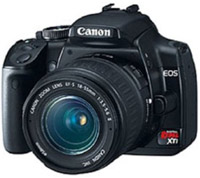
 So, I started looking around for my disc which contained the software for my (Canon EOS Digital SLR Camera) Canon Digital Rebel XTi camera and I just can’t find it. So, how on earth would I get the software for the camera if Canon only offers the ‘Upgrade’ version on their website?
I was really surprised that Canon did not offer the base installation of their software via their website especially when their software doesn’t even require a serial number to activate or install. But you can however find a multitude of software upgrades on their various download pages.
So, if you fine yourself asking the following questions then this is the answer you’ve been waiting for.
Where can I download ZoomBrowser Ex
1. Where can I download Digital Photo Professional
2. Where can I download EOS Capture
3. Where can I download EOS File Viewer
4. Where can I download PhotoStitch
Here’s the answer! You simply go to the Canon download website for the XTi which is: http://www.usa.canon.com/consumer/controller?act=ModelInfoAct&tabact=SupportDetailTabAct&fcategoryid=215&modelid=14256 and download the latest ‘upgrade’ version of the application.
Then you use the power of the Windows Registry to do the rest of the work for you.
You can skip the next step if you would rather just download the attached .REG file at the bottom of this article.
To do this make a file and call it canon.reg The icon should change to something that looks like a piece of paper with stacks of little blue ice cubes on it. Then open it using Notepad and paste the following into it.
Windows Registry Editor Version 5.00
[HKEY_LOCAL_MACHINE\SOFTWARE\Canon\DPP]
[HKEY_LOCAL_MACHINE\SOFTWARE\Canon\ZoomBrowser EX]
[HKEY_LOCAL_MACHINE\SOFTWARE\Canon\EOS Capture]
[HKEY_LOCAL_MACHINE\SOFTWARE\Canon\EOSViewerUtility]
[HKEY_LOCAL_MACHINE\SOFTWARE\Canon\PhotoStitch]
Copy between the two comment lines and do not include them within the canon.reg file. Make sense?
Save the file and double click it. Then click ‘YES’ and then ‘OK.’
That’s it! Now you can go about installing any of the software applications from the Canon website.
How does this work? Well, you see, Canon software checks your Windows registry for previously installed versions before you can install the upgrade version that you get from the website. We’re just ‘tricking’ the Canon software to think that you already have some of their applications installed.
Some of the older versions of the Canon software allowed you to extract the downloaded executable using a program like WinRAR an then manually run the install which bypassed the registry check. It looks like Canon has upgraded their download packages so that you can no longer easily extract them.
Good Luck,
Tom


THANK YOU
THANK YOU
YOU ARE MY HERO
Thanks for publishing this! I first had to download and install a European version after updating the registry, but I was then able to install the latest US version (ZoomBrowser EX 6.3.1). Good work!
First of all-Thank you so much-a real lifesaver. I am not able to get the ZoomBrowser to download. It looks like the last post is addressing it, but I’m not sure what to do with those directions. I would really appreciate your help.
zb631upd_en.exe queries ‘Settings’ sub-key, and tries ‘Install’ is not found.
You’ll need something like this:
++++++++++++++++++++++++++++++++++++++++
Windows Registry Editor Version 5.00
[HKEY_LOCAL_MACHINE\SOFTWARE\Canon\ZoomBrowser EX]
[HKEY_LOCAL_MACHINE\SOFTWARE\Canon\ZoomBrowser EX\Settings]
[HKEY_LOCAL_MACHINE\SOFTWARE\Canon\ZoomBrowser EX\Install]
—————————————-
Thanks for the help, but this doesn’t seem to work for Vista. Do you have a fix for that?
Thanks
OMG, THANK YOU. You saved my entire weekend. I couldn’t find my CD and Canon said they would mail me a new one, except i need it NOW. Your the BEST
This doesnt seem to work for me…not sure whether the new version of the upgrade works! Aaaaargh, any advice anyone?! 🙁
P.
I’ve heard mixed rumors that this will also work for Vista. I have not tried with Windows Vista yet.
I can't get the zoombrowser to install, it still asks for the CD. I am running VISTA. Any additional advice?
awesome :)
thanks a lot
I couldn't find my cd either. Follow these directions and problem solved. Thank you VERY MUCH. Saved me some headache I'm sure. Excellent.
i need for a software in below model
pc 1022 please if posible sent me that software because i such as need for that
best wish
Great info! 5 stars.
I haven't received a software disk with my Rebel XS / 1000D camera so I wasn't able to install the 'Updates', but your method is excelent. Thanks a lot.
Awesome job! I just bought my new Sx110 and my disc doesn't seem to be readable (Made in China)
Nothing more needs to be said, but I had to add my thanks. It's a crime they charge for this download, no one else does. You have made many of us very happy – thanks for taking the time to do this.
You are truly amazing. Thanks a ton.
Clap, clap. You are a genius!
Thanks so much for the Info. Camera was a gift and seems like it was the last on in store. Canon was going to charge me for something that sould have been in the box to begin with. THANKS AGAIN!!!
Awesome. Thanks sooooooo much!!
You don't save the reg file to your registry. You click it and then it runs and the contents of the file are inserted into your registry.
Looks good except you haven't indicated where in the registry the canon.reg file should be created or saved to!!
ur my idol!!
Rafael, or anyone, could you be more clear on the precise lines to use for Windows Vista? I am somewhat of a novice, but I need this to run my camera on my new computer. Software misplaced.
hey, any chance to make this work on a mac???
Thanks. For some reason zoombrowser still asks for a cd to install.. and "Picture Style Editor" and "digital photo professional" say my resolution/color is not working (this is probably due to vista or something) but does anyone know how to fix it? I'm running 64bit vista.
thanks man!
been trying to tackle that problem for a while now as I lost my oroginal cd….
:-)
thanks for figuring this out!
very helpful!
why does canon not make the base app available?!
Thank you, I want to have your baby. and I am a guy, so, that says a lot I would think.
excellent. worked like charm!!!!
You´re definetly a star!!! Thanks, you changed my life!!
You rock! Thanks!!
Not working for me….frustrated!! Help. I did just how you explained, but it still doesn’t see it.
I feel like an idiot but where does this file need to be created, because what you describe isn’t working for me!! 🙁
OMG…. Just spen 20 mins searching for a soloution to get it insalled till I came across this. ‘ ] ‘ was missing indeed LOL
u r super cool!!!
I love you dude thats all there is to say
Will this work for the Canon Rebel XT?
I changed the first line of canon.reg to regedit4 and it merged into
registry perfectly. After that, I downloaded zoombrowser software
and it worked perfecto. Thanks.
I ran the canon.reg on my win/98se. The Registry Editor said,
“Cannot import C:\…\canon.reg. The specified file is not a registry script.
You can import only registry files.”
THAAAAAAAAAAAAAAAAAANKSSS!!! TOM AND MACKY!! AT LAST! worked perfect with Vista 64, so dumb that canon doesn’t let us download the software!
you guys rock!
Thank you soooo much!!!
canon scan lide 100
pls give me soft ware canon scanner lide-100
Thanks! It worked like a charm!
This is fucking awesome!!!
Thanks!!!
Thanks so much!
my hero!!!!
you SO rock.
thanks for sharing.
I HAVE to add my thanks and a most excellent rating. It’s people like you that make the world more fun.
Oh! that was super-duper useful advice!!!
Mad Props!!! Great job
thanks so much! what you wrote over 2 years ago still helps 🙂
You’re the man!! Thanx alot!!!
Thanks
zb641xpupd-en also requires the additional ZoomBrowser entries added to canon.reg file
[HKEY_LOCAL_MACHINE\SOFTWARE\Canon\ZoomBrowser EX\Settings]
[HKEY_LOCAL_MACHINE\SOFTWARE\Canon\ZoomBrowser EX\Install]
Hey Macky!
Thanks… For those wanting to install the PhotoStitch software, the end bracket is missing in Macky’s otherwise excellent hack above. Add it in your .reg file, and you’re good.
Cheers!
FANTASTIC!!!!!!
Is there a way to do this on a MAC??
Thanks so much!!!
amazing. thank you! us 1, canon 0
u are the man
Whoops, didn’t work fully, still cannot download pictures, as when I connect the camera it tells me I am missing a “do._da” file. and shuts me down? My original disc is damaged, fids scratched it, so cannot use it. I have an old Rebel, the KISS Rebel 300D? Can anyone help? Is it particular to my camera model? I will contact canon as well in the meantime….
Million thanks, worked for me but as Dan above had to download european version first then update
Thankx Macky!
you save my day too! =)
Thank man
Muchisimas gracias, me funiona para mi Rebel XT
i bought a 450d at yongsan in seoul. sketchy vendors there.. anyways i got a good price but no software in the box!!! this is what i needed. thanks a lot brotha ^^
FANTASTIC!!!!!!
Awesome… way to stick it to the corporate robots who decided to make such a simple procedure needlessly complex.
for vista 64 and win 7
Windows Registry Editor Version 5.00
[HKEY_LOCAL_MACHINE\SOFTWARE\Wow6432Node\Canon\EOS Utility]
[HKEY_LOCAL_MACHINE\SOFTWARE\Wow6432Node\Canon\DPP]
[HKEY_LOCAL_MACHINE\SOFTWARE\Wow6432Node\Canon\ZoomBrowser EX]
[HKEY_LOCAL_MACHINE\SOFTWARE\Wow6432Node\Canon\ZoomBrowser EX\Settings]
[HKEY_LOCAL_MACHINE\SOFTWARE\Wow6432Node\Canon\ZoomBrowser EX\Install]
[HKEY_LOCAL_MACHINE\SOFTWARE\Wow6432Node\Canon\PhotoStitch
[HKEY_LOCAL_MACHINE\SOFTWARE\Wow6432Node\Canon\EOS Capture]
[HKEY_LOCAL_MACHINE\SOFTWARE\Wow6432Node\Canon\EOSViewerUtility]
[HKEY_LOCAL_MACHINE\SOFTWARE\Wow6432Node\Canon\ODSK]
very good! thats what i needed! thank you!
Thats Great!!! Excellent work sir…
Thank you VERYYYYYYYYYYYYY MUCHHHHHHHHHHHHHHHHHHHHHH
tnanks thanks thanks * 10000000000000
Its a great help!!! thanks a ton.
Excellent solution. I also have stored my cd in the attic, in the basement, in the garage, or the back of a bedroom closet. I still have the camera and I do like Zoombrowser EX. I added the Install key and the Settings key to your canon.reg file. I was able to install the 6.3.1 update to my XP computer. Great!!
You are the MAN!!! Thanks!
I don’t get it :'(
I have a same question as TYRONE.
is there a solution for Mac OS X?
Thanks a lot !
You’re a lifesaver, my friend. Thank you very much.
Well it is not working anymore. I have Vista and when i start installation, it asks me to put in a CD
work fine for me too Thank a lot.
it saved my day
another good suggestion is to borrow ur friends.
I HAVE A CANON 5D II and lost my CD.
IS THERE A SOLUTION FOR MAC OS X?
very good
I moved and install CD got lost in process. Would would have thought it would be such a mission. Finally found this page.
Thanks!!!!
Thank you very much! Worked like a charm!
thanks a lot 🙂
THANK YOU! This information was vital for my existence! Ok, at least for today.
You’re the MAN!!
YOU ARE MY HERO
Thanks for publishing this! I first had to download and install a European version after updating the registry, but I was then able to install the latest US version (ZoomBrowser EX 6.3.1). Good work!
First of all-Thank you so much-a real lifesaver. I am not able to get the ZoomBrowser to download. It looks like the last post is addressing it, but I’m not sure what to do with those directions. I would really appreciate your help.
zb631upd_en.exe queries ‘Settings’ sub-key, and tries ‘Install’ is not found.
You’ll need something like this:
++++++++++++++++++++++++++++++++++++++++
Windows Registry Editor Version 5.00
[HKEY_LOCAL_MACHINE\SOFTWARE\Canon\ZoomBrowser EX]
[HKEY_LOCAL_MACHINE\SOFTWARE\Canon\ZoomBrowser EX\Settings]
[HKEY_LOCAL_MACHINE\SOFTWARE\Canon\ZoomBrowser EX\Install]
—————————————-
Thanks for the help, but this doesn’t seem to work for Vista. Do you have a fix for that?
Thanks
OMG, THANK YOU. You saved my entire weekend. I couldn’t find my CD and Canon said they would mail me a new one, except i need it NOW. Your the BEST
This doesnt seem to work for me…not sure whether the new version of the upgrade works! Aaaaargh, any advice anyone?! 🙁
P.
I’ve heard mixed rumors that this will also work for Vista. I have not tried with Windows Vista yet.
I can't get the zoombrowser to install, it still asks for the CD. I am running VISTA. Any additional advice?
awesome :)
thanks a lot
I couldn't find my cd either. Follow these directions and problem solved. Thank you VERY MUCH. Saved me some headache I'm sure. Excellent.
i need for a software in below model
pc 1022 please if posible sent me that software because i such as need for that
best wish
Great info! 5 stars.
I haven't received a software disk with my Rebel XS / 1000D camera so I wasn't able to install the 'Updates', but your method is excelent. Thanks a lot.
Awesome job! I just bought my new Sx110 and my disc doesn't seem to be readable (Made in China)
Nothing more needs to be said, but I had to add my thanks. It's a crime they charge for this download, no one else does. You have made many of us very happy – thanks for taking the time to do this.
You are truly amazing. Thanks a ton.
Clap, clap. You are a genius!
Thanks so much for the Info. Camera was a gift and seems like it was the last on in store. Canon was going to charge me for something that sould have been in the box to begin with. THANKS AGAIN!!!
Awesome. Thanks sooooooo much!!
You don't save the reg file to your registry. You click it and then it runs and the contents of the file are inserted into your registry.
Looks good except you haven't indicated where in the registry the canon.reg file should be created or saved to!!
ur my idol!!
Rafael, or anyone, could you be more clear on the precise lines to use for Windows Vista? I am somewhat of a novice, but I need this to run my camera on my new computer. Software misplaced.
hey, any chance to make this work on a mac???
Thanks. For some reason zoombrowser still asks for a cd to install.. and "Picture Style Editor" and "digital photo professional" say my resolution/color is not working (this is probably due to vista or something) but does anyone know how to fix it? I'm running 64bit vista.
thanks man!
been trying to tackle that problem for a while now as I lost my oroginal cd….
:-)
thanks for figuring this out!
very helpful!
why does canon not make the base app available?!
sorry made rating 3 last time… it should be 5 must…
u are great….
This is totally awesome, just what i was looking for!
thanks to the guy who posted this!
Hi Tom, You are amazing! I've been searching for the software files and information on how to get the software installed that came with the Canon Rebel Xti (that I cannot locate) for a few days now. I located the updates but not the original software for the update installations to work! Your Registry modification worked perfectly! Thank you VERY much! Just did a big HooAhhh with arms pointing to the ceiling :-)
Thanks for sharing
Thanks to you for this FIX that Canon should have made! and a big WTF!? to Canon for specifically stating in there support section that these "updates" – like dpp341en.exe – could be installed without previous versions: "will install Digital Photo Professional 3.4 on your computer" and even worse, it just doesn't start and no error message. Canon: you need to provide better software and a better support section!
for vista x64 use:
[HKEY_LOCAL_MACHINESOFTWAREWow6432NodeCanon…]
My Toughbook doesn't have a CD drive. Download the files from Canon and Boom! Can't install the updater. What a pain. Along comes your little fix and it works a treat. Thank you so much.
Thank you very kindly@@
Legend.
Awesome… I just moved and can't find my CD, yet there was a recent event where I took a panoramic picture but lost patience with trying to Photoshop it. Thank you!
Thanks. Just did a panoramic for the first time. Excellent! Thanks for the help
i had owe at least 10 Canons (4 digital) for about 15 years. just because i lost it my cd.
This is a great fix, works like a charm
Many thanks for providing this guide. It's clear and unambiguous.
If you have a spare moment, perhaps you would offer a link to a User Guide for Zoombrowser EX; there must be one somewhere. I've searched and can find only OOD ones. Meanwhile, I'll struggle on, trying things out…
HS
wow that was easy…thank you
You have saved me a lot of time and trouble.
thank you
pls. give me canon software download
ha!! pure genious!! cheating the system is so much fun…
Perfect!!
Thanks!
Milton
This is really ingenuous !! Really cooll !!
brilliant
Thank you so much, it works like a charm!!!!!!
Useful I confirm !
You
Are
The
Man
Just a note to say thanks for your reply to the missing software request, I had a similar problem and your suggestion worked too a "T".
Thanks,
John
Excellent article and resource. Included reg file is a great asset. Thanks!
This was excellent solution. I lost the CD came with my camcoder and it took me days finidng software.
Canon site is useless. They do not provide the access to older version of software.
Excellent, thanks a lot.
Great tip!! Very easy.
awesome .. thanks
Oh my gosh! Thank You SOOO much! I've been looking around for this for so long.
Really appreciate it!
DUDE< you're a gem. Thanks for the help!!!
Nice work, it was very easy to install.
Thank you so much, been trying to sort this out for months. Works like a charm.
Thank you very much. Your website was very helpful.
Thank you. Thank you very much.
Thanks a lot!
This worked like a charm..
You are a lifesaver! Thanks so much for taking the time to do this!
You are a lifesaver! Thanks so much for taking the time to do this!
Very helpful, works a treat!
Thanks.
Cool
I LOVE YOU BEIBEH…..
HORE!!!!!
MANY THANKS FROM INDONESIA
Many thanks
This is what i was looking for, great, i lost the install cd, reinstalling my laptop, i could not install the software from there website.
Thanks for publishing this
Armand
Grrr…delete my last rating. I was so worried about getting my comment ready, I neglected to give the correct rating. This info was a 5!!!
Thanks!
Thanks for sharing the info. I misplaced my disk (programs never installed) and was very disheartened to find getting a replacement wouldn't be so easy. Your info was spot-on!
That's exactly what I want.
Good job man
Wow, thanks!
Hey I feel like a total newbie, but where do I save the canon.reg file once its done. I’ve never edited something in the registry before and would need more details.
thank you 🙂
You can save the file to your Windows Desktop and then double click it to enter it into the Windows Registry.
Yeah, I got it working right after I commented. I apologize for the stupid questions and really grateful for this information.
Thank you !!!
Thanks so much! Also thanks for the Win vista/7 code Macky! you just made my day so much easier!
I just dont get it!!!! Someone please help. I’ve made my canon.reg file and it looks like a piece a paper with blue blocks. ive also copied in the code but still not working………..im now at despair
@aj: There should be a comment here which matches your operatiing system. By the way…this solution only works for PC and not Mac. Once you have the file made and it has the icon you describe, you need to double click it and the contents of the .reg file should be entered into the Windows Registry.
Excellent. Why the EOS utility isnt available on their website!!
It is. You must visit this link. http://bit.ly/9bpdrq then select ‘Drivers & Software’ then choose your OS type and you will be presented with a list of download options.
It took me a while to figure out how to create the file and open it in the Registry Editor, but it worked like a charm. Thanks for the help!!
It works!!
Thanks a lot, it’s very usefull.
Greetings!
So the file for Windows 7 x32 will look like this:
Windows Registry Editor Version 5.00
[HKEY_LOCAL_MACHINE\SOFTWARE\Canon\DPP]
[HKEY_LOCAL_MACHINE\SOFTWARE\Canon\ZoomBrowser EX]
[HKEY_LOCAL_MACHINE\SOFTWARE\Canon\ZoomBrowser EX\Settings]
[HKEY_LOCAL_MACHINE\SOFTWARE\Canon\ZoomBrowser EX\Install]
[HKEY_LOCAL_MACHINE\SOFTWARE\Canon\EOS Capture]
[HKEY_LOCAL_MACHINE\SOFTWARE\Canon\EOSViewerUtility]
[HKEY_LOCAL_MACHINE\SOFTWARE\Canon\PhotoStitch]
Save it to CanonUpdate.reg and should work.
Thanks for the post.
Thanks so much for all your info. It worked a treat.
🙂
I was successfull loading all the software but Zoombrowser. I’m running XP and the Zoombrowser file name is zb651xpupd-en.exe. Could this file be a later update that doesn’t work with this registery edit?
Did you add the registry values as described above? If so, then it ‘should’ work without any errors. I’ll look into it on my end.
Tom.. good looking out on this article.. I had that problem and i was able to fix it instantly without a hitch using this info.
many thanks
especially to macky for 64!
Thank you, I already own the Canon camera and the CD but that saved me some trouble.
thanks im gonna try
This worked perfectly! THANK YOU!!!
Okay, either I’m stupid or just don’t know about getting into the registry. I know it said make a file called canon.reg but with what program? Wordperfect? I also didn’t see a download of the reg file. I tried regedit but couldn’t find where to cut and paste so did nothing there. I’m sorry for sounding incompetent but I’ve done this before a very long time ago, I just cannot seem to figure out how to do this and need a step by step.
Thanks
Mel,
Just make a text file, then replace ‘*.txt’ with ‘canon.reg’. Then open the file up in notepad and paste command lines in. Make sure you also include ‘Windows Registry Editor Version 5.00’ up the top of the file so that the Registry Editor recognises the file as being compatible.
I hope this helped!
029245 type that as the serial key for a 1d and dpownlad it from here http://web.canon.jp/imaging/sdl/dpp-e.html
Ok, so what if you cabn’t install the drivers for the camera? I reinstalled Windows XP Pro, and then before I installed the software for the camera (Rebel XTi), my wife plugged it in. for some reason my laptop did not properly recognize the camera, and I have a yellow exclamation mark in device manager for “Canon digital Camera” under Other Devices. It does not appear under imaging, and does not apper under the Scanner & Camera applet in control panel. I’ve tried removing it, and hacking the registry, but no dice. I’ve tried reinstalling from the original CD, no dice. I’ve stumbled around the registry, deleted various Canon related entries (DO NOT DO THAT UNLESS YOU ARE SURE YOU KNOW WHAT YOU ARE DOING). and still no dice. Any suggestions? I really don’t want to have to format and reinstall XP…
Original thanks to Tom McGuire for starting this thread and thanks to all who added much needed important info. Now my wife can have her camera back!!
Thank you so much! It still works (for anybody who doesn’t know what they are doing and are wondering).
It took me a while to figure it out. It kept on asking me for an installation CD. I stopped reading the directions after I made the file and never doubleclicked “canon.reg” file. Just follow all the directions and it will work!
Thanks man!
good!thanks !谢谢!
This may have already been posted:
Here are the correct .reg entries for Win7 x64 – may work for x86 & Vista too.
Do as in origianl post however copy & paste this instead:
Windows Registry Editor Version 5.00
[HKEY_LOCAL_MACHINE\SOFTWARE\Wow6432Node\Canon\EOS Utility]
[HKEY_LOCAL_MACHINE\SOFTWARE\Wow6432Node\Canon\DPP]
[HKEY_LOCAL_MACHINE\SOFTWARE\Wow6432Node\Canon\ZoomBrowser EX]
[HKEY_LOCAL_MACHINE\SOFTWARE\Wow6432Node\Canon\PhotoStitch
[HKEY_LOCAL_MACHINE\SOFTWARE\Wow6432Node\Canon\EOS Capture]
[HKEY_LOCAL_MACHINE\SOFTWARE\Wow6432Node\Canon\EOSViewerUtility]
Enjoy!
This worked thank you!!!!! Took me a while to figure it out as well… just read the directions, and the other bloggers that had problems and you will figure it out! Thanks again.
thank you so much!! works great
@19ninety – thanks for registry hack for windows 7
Seems like the topic is still alive!
I did make the file, but when trying to run it i Get message thet the file is not a registry script and only binary files can be run (Windows Vista)
Help please?!
Awesome!
It really worked for Windows Vista & for me! Howcome folks at Canon never get to see this crack 😉
Thank You!!! 🙂
There’s an update with the full version of ZoomBrowser – it requires you to put in the serial no of your camera though.
http://www.usa.canon.com/cusa/support/consumer/eos_slr_camera_systems/eos_digital_slr_cameras/digital_rebel_xti#DriversAndSoftware
Thanks to 19ninety
For Win 7 64bits:
One small correction: add the bracket at the end of the registry entry for Photostitch:
Windows Registry Editor Version 5.00
[HKEY_LOCAL_MACHINE\SOFTWARE\Wow6432Node\Canon\EOS Utility]
[HKEY_LOCAL_MACHINE\SOFTWARE\Wow6432Node\Canon\DPP]
[HKEY_LOCAL_MACHINE\SOFTWARE\Wow6432Node\Canon\ZoomBrowser EX]
[HKEY_LOCAL_MACHINE\SOFTWARE\Wow6432Node\Canon\PhotoStitch]
[HKEY_LOCAL_MACHINE\SOFTWARE\Wow6432Node\Canon\EOS Capture]
[HKEY_LOCAL_MACHINE\SOFTWARE\Wow6432Node\Canon\EOSViewerUtility]
Safe in notepad, name it canon.reg and doubleclick.
Run photostitch updater, it works !
Super, Works like a charm..Thanks Much
I keep trying to do this but cant seem to figure it out. Made the file that 19ninety said to. I’m running Windows 7 (64x) but when I download the file and try to “update” it ask me to insert the disc. I clicked on the original file and it said it updated the registry but I’m just not sure if I did something wrong? Are you suppose to format the text to how it looks on this page or just copy and paste (that’s what I did). Hope someone can lead me in the right direction.
Spring, you should format it like 19ninety did. Starting with ‘Windows Registry…’ and ending with ‘Utility]’
Hi again!
Odd how its about a year on and I’m re-installing and having to re-do this process.
Firstly, thank you Zeger for the correction, I hope my error didn’t cause to many issues for people.
Secondly, Spring – I think the problem your having could be because of the way Windows Copy/Pastes the text from this blog to the file.
When you Copy and Paste it into the file, you have to change it from this:
Windows Registry Editor Version 5.00 [HKEY_LOCAL_MACHINE\SOFTWARE\Wow6432Node\Canon\EOS Utility] [HKEY_LOCAL_MACHINE\SOFTWARE\Wow6432Node\Canon\DPP] [HKEY_LOCAL_MACHINE\SOFTWARE\Wow6432Node\Canon\ZoomBrowser EX] [HKEY_LOCAL_MACHINE\SOFTWARE\Wow6432Node\Canon\PhotoStitch [HKEY_LOCAL_MACHINE\SOFTWARE\Wow6432Node\Canon\EOS Capture] [HKEY_LOCAL_MACHINE\SOFTWARE\Wow6432Node\Canon\EOSViewerUtility]
To look like this:
Windows Registry Editor Version 5.00
[HKEY_LOCAL_MACHINE\SOFTWARE\Wow6432Node\Canon\EOS Utility]
HKEY_LOCAL_MACHINE\SOFTWARE\Wow6432Node\Canon\DPP]
[HKEY_LOCAL_MACHINE\SOFTWARE\Wow6432Node\Canon\ZoomBrowser EX]
[HKEY_LOCAL_MACHINE\SOFTWARE\Wow6432Node\Canon\PhotoStitch
[HKEY_LOCAL_MACHINE\SOFTWARE\Wow6432Node\Canon\EOS Capture]
[HKEY_LOCAL_MACHINE\SOFTWARE\Wow6432Node\Canon\EOSViewerUtility]
So that Windows Registry reads the information correctly.
Its hard to explain but the format of the text changes when copied, it replaces the new lines (Enter Key) with spaces when copied.
Image one below is how the file will look when copied. Image two is how it should look before saving it.
http://i250.photobucket.com/albums/gg272/19ninety/Canon%20Utilities/Canon1.jpg
http://i250.photobucket.com/albums/gg272/19ninety/Canon%20Utilities/Canon2.jpg
Hope this helps!
OK, so the way the comments format the text is making this even harder to explain!
See here for a clearer explanation:
http://pastebin.com/w41c4VPb
woo great help, thanks
Worked awesome after I realized you had to actually double click on the file you create, lol. Thanks so much!
Thank you so much!
I need something that will work on a Mac!!! ahhhhhhh help!
This was a life saver!!! Thank you so much! I really didn’t want to turn my house upside down to search for my camera software CD. I found every other CD but not the one I needed to re-install so I can upload pics off my camera. Thank you, thank you, thank you!!
Perfect and thankyou. 🙂
Awesome! Worked like a charm.
How do you do it on a Mac Pro
Go on the Cannon USA Tech Support site for Rebel XSi and check for all downloads. They have a file that allows you to download an install of EOS, Style Editor, and Pro without a CD. Run the download and the 3 programs are installed and then can be updated. For Zoom, there is an install that asks for your camera SN. Type in the SN and it installs, then download the Zoom updates. There is another free photo program download available, but it seems to duplicate other programs functions and the download is over 140 MB. I’m running Vista 64 and the Cannon site ID it correctly for the downloads.
I just tried this on Windows 7 professional and could not get it working. However, found this code that did:
Windows Registry Editor Version 5.00
[HKEY_LOCAL_MACHINE\SOFTWARE\Wow6432Node\Canon\EOS Utility]
[HKEY_LOCAL_MACHINE\SOFTWARE\Wow6432Node\Canon\DPP]
[HKEY_LOCAL_MACHINE\SOFTWARE\Wow6432Node\Canon\ZoomBrowser EX]
[HKEY_LOCAL_MACHINE\SOFTWARE\Wow6432Node\Canon\ZoomBrowser EX\Settings]
[HKEY_LOCAL_MACHINE\SOFTWARE\Wow6432Node\Canon\ZoomBrowser EX\Install]
[HKEY_LOCAL_MACHINE\SOFTWARE\Wow6432Node\Canon\PhotoStitch
[HKEY_LOCAL_MACHINE\SOFTWARE\Wow6432Node\Canon\EOS Capture]
[HKEY_LOCAL_MACHINE\SOFTWARE\Wow6432Node\Canon\EOSViewerUtility]
[HKEY_LOCAL_MACHINE\SOFTWARE\Wow6432Node\Canon\ODSK]
Save file as CanonPreInstall.reg
(thanks to “canon5dtips”)